One More Lawn Demo Save Transfer: What Carries Over
Yes, the One More Lawn demo save carries into the full game on November 12. Here is what is confirmed, what to keep installed and what to do if it fails.
Yes. The One More Lawn demo save carries over to the full game on November 12. That is stated on the Steam store page, and it is the only official sentence we have. Everything else, including how the handoff technically works, is inference. This page separates the confirmed part from the parts you should protect yourself.
The official answer
Official source: One More Lawn on Steam ↗ - "Your save carries over to the full game on November 12."
That is the promise: the save moves, and the date is the release date. It is not a promise that every statistic, cosmetic or co-op flag survives. It is also not a description of a cloud system. The store page does not mention Steam Cloud for this game, so do not assume your progress is backed up online.
What is confirmed and what is not
| Item | Status |
|---|---|
| Demo progress carries to the full game | Confirmed by the store page |
| Transfer happens on November 12 | Confirmed |
| Steam Cloud backup | Not mentioned |
| Cross-device transfer | Not announced |
| Demo must stay installed | Not stated; keep it anyway |
| Individual stats and flags | Not itemised |
| Co-op lobby history | Not applicable |
The practical reading: your demo save is a local file, the full game is expected to read it, and the transfer is a one-time handoff around launch. Treat the local file as the only copy until you have seen the progress in the full game.
Why the demo and full game are separate apps
Steam lists the demo as app 5422930 and the full game as app 5378110. They are separate entries with separate installs. That is normal for Steam demos, but it has consequences:
- The full game does not automatically appear in your library because you installed the demo.
- The demo's install folder and the full game's install folder are different.
- A save handoff has to be handled by the game, not by Steam's normal cloud sync between two builds of the same app.
That last point is why the official sentence matters. Superdou has built a transfer path between two separate apps. Do not assume it works like a normal sequel save import.
The launch-day sequence that protects you
- Keep the demo installed through November 12. Do not uninstall it to "make room" before the full game has read the save.
- Install the full game from the store page, not from a third-party key site.
- Launch the full game once. Let it reach the main menu or the first save prompt.
- Check for your demo progress before starting a new game. Look for the completed front yard or Elvira's backyard.
- If the progress is there, play normally. You can uninstall the demo after you have confirmed it.
- If the progress is missing, close the game without starting a new save. Read the recovery section below.
The most dangerous moment is the first screen that offers "New Game". If the transfer has not run yet, starting a new game can create a fresh profile on top of the one you want. Close the game and investigate instead.
A new profile can overwrite the slot the transfer is meant to fill. Launch, look, and quit. Testing by playing is how people lose saves.
If the save does not appear
Work through these in order. Stop when the progress appears.
1. Confirm you are on the same Steam account. The demo and the full game must be launched by the same account. Family Sharing can complicate this: if the demo was played through one account and the full game through another, the save may not be visible.
2. Confirm you are on the same Windows user. Without a cloud sync, the save lives in the demo's local data folder. A different Windows profile is a different folder.
3. Launch the demo again, then the full game. Some handoffs run when the demo writes its save. Open the demo, load your job, quit cleanly, then launch the full game.
4. Check that the demo still has your progress. If the demo itself starts fresh, the problem is the demo save, not the transfer. Restore it from a backup if you have one.
5. Verify the full game's files. Steam's file verification fixes corrupted installs, not missing saves, but it is worth ruling out. The crash guide→ has the Steam steps.
6. Wait. Launch-day handoffs can be queued or delayed while the store updates. Give it an hour before you try anything destructive.
Do not delete the demo folder, do not edit save files by hand, and do not download a "save fix" from a random site. If the official path fails, report it through the game's bug button or the Steam discussions. Superdou has been responsive to demo reports.
What about co-op progress?
Co-op in the demo is host-based. If you completed a job in a friend's lobby, the host's save is the one that records the session. Your own save may not mark that job complete. This is normal for host-based co-op, but it catches people who played entirely in someone else's yard.
If you want the progress on your own save, host the job yourself before launch. The demo is free and the save carries over, so there is no reason to leave it on a friend's machine.
Our multiplayer guide→ explains hosting and join codes. The demo versus full game→ page explains which jobs are in the demo at all.
Does the full game's save also transfer back?
No. The promise is one-way: demo to full game. Do not expect to open the demo after launch and see your full-game progress. The demo is a separate app with its own scope.
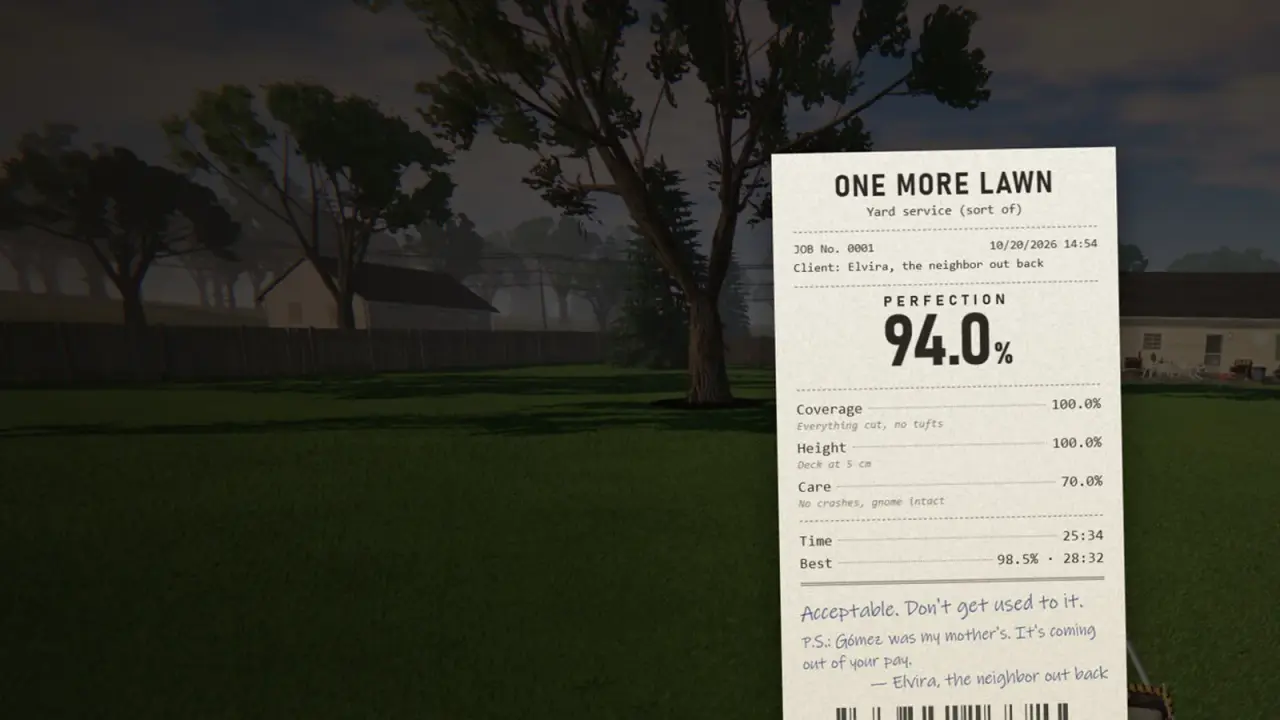
If you want to keep a record of your demo lawn, take a screenshot of the receipt before launch. It is a nice memento, and it is also evidence if you need to report a save problem.
What if I never played the demo?
Then there is nothing to transfer. Install the full game on November 12 and start fresh. You lose nothing except the warm-up.
The save handoff is only relevant if you have demo progress you care about. If you played for ten minutes and bounced off, do not let the transfer keep you on a game you did not enjoy.
A note on backups
The store page does not mention cloud saves. If you want a backup, find the demo's save folder and copy it somewhere safe before November 12. We are not publishing a path because Superdou has not documented one, and a wrong path is worse than no path. Use the folder Steam created for the demo, copy the whole thing, and keep it until the full game is running.
Do not move the folder. Copy it. Moving it can break the handoff.
Official source: One More Lawn demo ↗ - the demo is a separate app with its own install and save.
FAQ
Does One More Lawn demo progress carry over?
Yes. The store page says the save carries over to the full game on November 12.
Do I need to keep the demo installed?
It is not stated, but keep it installed until the full game has read the save. There is no cloud backup mentioned, so the local file is your only copy.
Will my demo save transfer if I buy the game later?
The promise is tied to the November 12 launch. If you buy later, the transfer may still work, but that is not confirmed. Buy at launch if the save matters to you.
Does the transfer work across PCs?
No cross-device transfer has been announced. Assume it is local to the PC where you played the demo.
Can I transfer full-game progress back to the demo?
No. The handoff is one-way.
What if the save does not show up?
Do not start a new game. Check the Steam account, Windows user, demo install and file integrity, then wait and report the issue.
Sources
- One More Lawn store page ↗ - the save transfer statement.
- One More Lawn demo ↗ - separate demo app and scope.
- Steam community discussions ↗ - demo reports and developer replies.
- Steam Support: games do not run ↗ - file verification and launch checks.